|
Programming Taskbook |
|
|
||
|
Electronic problem book on programming |
||||
|
© M. E. Abramyan (Southern Federal University, Shenzhen MSU-BIT University), 1998–2026 |


|
|
Solution of the simple task: Begin3This section contains description of solving the following simple task in Free Pascal Lazarus: Begin3°. The sides a and b of a rectangle are given. Find the area S = ab and the perimeter P = 2(a + b) of the rectangle. Creating a template and acquaintance with the taskTo create a template of the required task you should use the PT4Load tool (starting with version 4.22, you can use the PT4Panel tool for quick launch of all Programming Taskbook tools; the PT4Panel shortcut is located on the desktop and in any working directory). The template created for Lazarus environment consists of Begin3.lpr file that contains the following text: {$mode delphi}{$H+}
program Begin3;
uses SysUtils, PT4Tasks;
begin
Task('Begin3');
end.
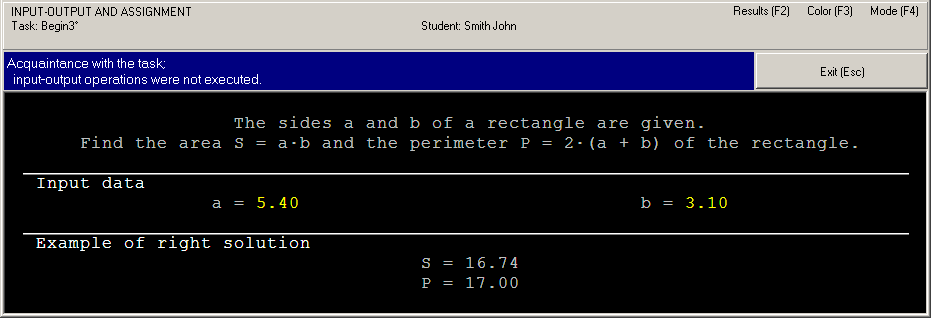
The first statement is compiler directives. The statement with uses clause add the SysUtils and PT4Tasks modules to the program. The last statement is the Task procedure call that initializes the Begin3 task. The program template for Free Pascal Lazarus, Pascal ABC, and PascalABC.NET has the similar contents and has the .lpr file extension for Free Pascal Lazarus and the .pas file extension for PascalABC.NET. To run the program, press [F9]. When the program is launched you will see the Programming Taskbook window with a task text and initial data.
This running is considered as acquaintance running because the program does not perform input-output operations. To close the Programming Taskbook window click the Exit button or press [Esc] or {F9] key. Initial data inputBefore solving tasks you should input initial data in the program. In the Begin3 task the initial data are real numbers a and b that refer to sides of the rectangle. The initial data should be input in the variable of the required type, otherwise Programming Taskbook will detect error. Let's model this situation in our program. For this purpose we shall organize initial data input to variables of the integer type using the GetN procedure (the line of compile directives and the PROGRAM and USES statements will not be show for brevity): var
a, b: integer;
begin
Task('Begin3');
GetN(a);
GetN(b);
end.
Run the program once again. You will see the new set of initial data. For each running of the program a new initial data are generated, so it is necessary to develop an algorithm that processes correctly all admissible sets of initial data.
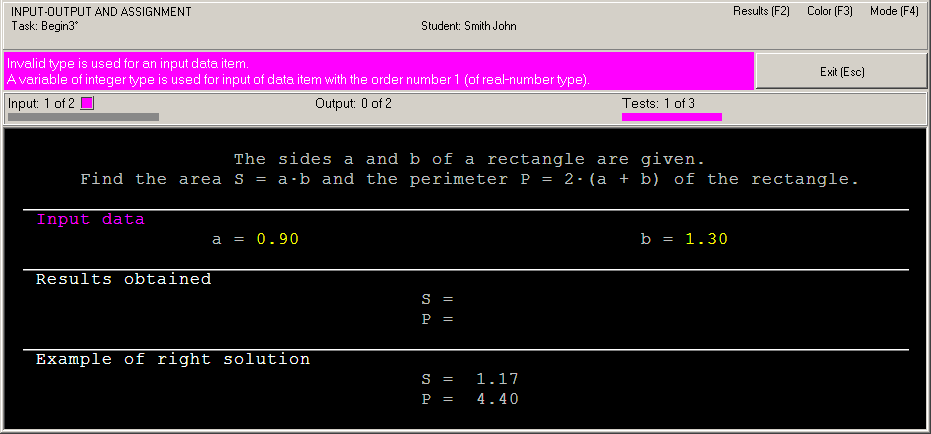
In this case the running leads to the following information in the status bar: "Invalid type is used for an input data item." Note that each type of errors is marked by different color. To input data correctly we should use the GetR procedure that provides input data of real type. Change our program as follows: var
a, b: real;
begin
Task('Begin3');
GetR(a);
GetR(b);
end.
Now data input is performed correctly, but the program does not output results. In such situation we have the following message: "Correct data input: all required data are input, no data are output" (Programming Taskbook version 4.15 or higher) or "Some data are not output" (previous versions). Calculation and output resultsLet's perform the required calculations and output results using the PutR procedure: var
a, b, S, P: real;
begin
Task('Begin3');
GetR(a);
GetR(b);
S := a * b;
P := 2 * (a + b);
PutR(P);
PutR(S);
end.
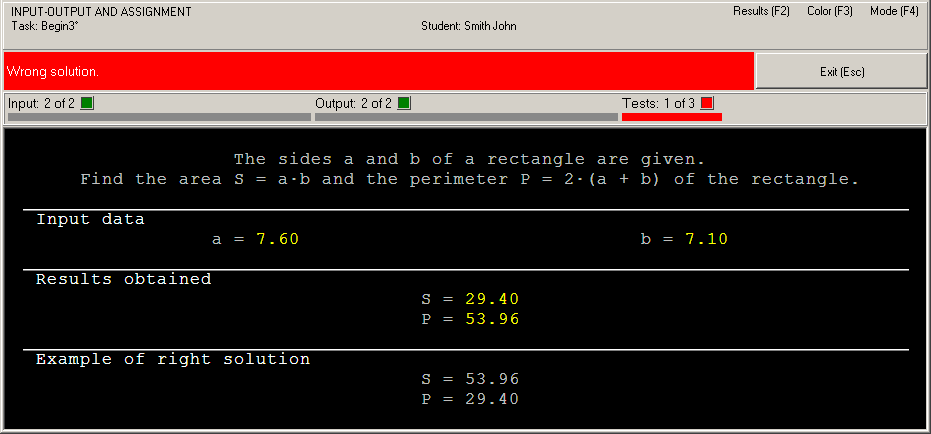
When the program is running you can see output values at the panel of results. Because we output data in inverse order, the status bar contains the error message "Wrong solution".
Right solution and its testingTo correct the last error it is enough to change order of two output statements: PutR(S); PutR(P); When this program is running you will see the testing panel on screen:
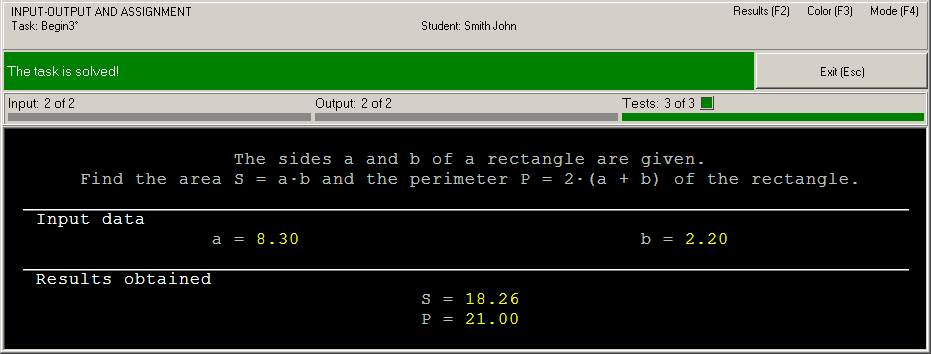
This panel appears when the program processes successfully at least one set of input data. The progress bar shows the amount of tests which are already performed, the text above the bar allows to determine how much tests should be performed successfully. The program testing finishes in two cases: when all required tests are performed successfully or when some test is failed. If the program is in infinite loop then you should close the testing panel by means of the [x] button in its upper right corner. In our case the algorithm is correct, therefore the message "The task is solved!" will be shown.
To browse information about the task solving you can use PT4Results tool (you may run this tool by pressing the [F2] key or clicking the Results label in the upper-right corner of the Programming Taskbook window): Begin3 p23/02 20:13 Acquaintance with the task. Begin3 p04/02 15:07 Invalid type is used for an input data item. Begin3 p04/02 15:09 Correct data input. Begin3 p04/02 15:12 Wrong solution. Begin3 p04/02 15:15 The task is solved! The letter "p" denotes the programming language being used (Pascal). Remark 1. It is not necessary to use additional variables S and P, because you can output expressions: var
a, b: real;
begin
Task('Begin3');
GetR(a);
GetR(b);
PutR(a * b);
PutR(2 * (a + b));
end.
Remark 2. In PascalABC.NET, you may use Pascal procedures Read-Write with any amount of parameters for input-output data: var
a, b: real;
begin
Task('Begin3');
Read(a, b);
Write(a * b, 2 * (a + b));
end.
Remark 3. Starting from the version 4.13, you may use other ways for input-output data in Free Pascal Lazarus IDEs: var
a, b: real;
begin
Task('Begin3');
a := GetReal;
b := GetReal;
Put(a * b);
Put(2 * (a + b));
end.
|




|
|
Designed by M. E. Abramyan
and V. N. Braguilevsky |
Last revised: |