|
Programming Taskbook |
|
|
||
|
Electronic problem book on programming |
||||
|
© M. E. Abramyan (Southern Federal University, Shenzhen MSU-BIT University), 1998–2026 |


|
|
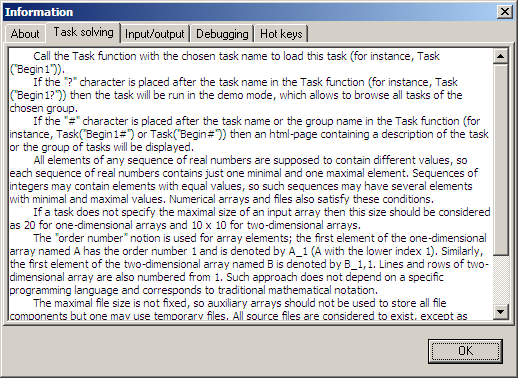
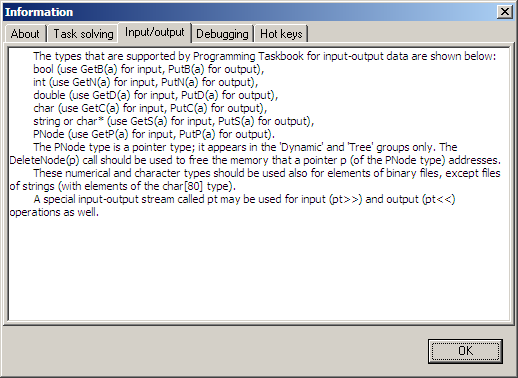
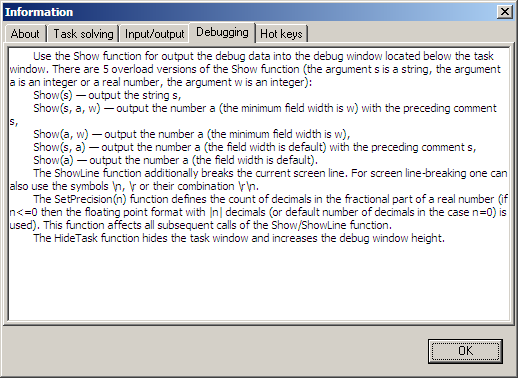
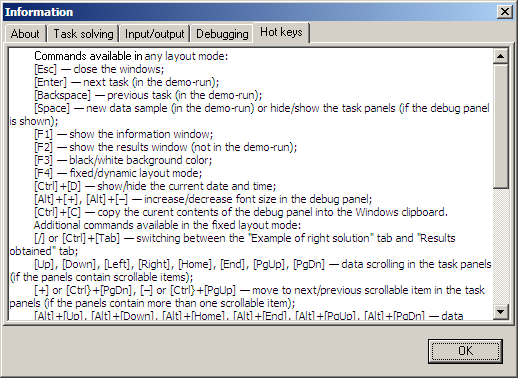
Brief infoTo get an overview how to use Programming Taskbook in C and C++, you should click the "?" button or press [F1] key in the Programming Taskbook window. The Programming Taskbook window will appear if you start the application in demo mode using PT4Demo tool or create and run a task template using PT4Load tool. The content of the information window depends on a chosen programming language. Here is the screenshot of the information window for C++ (in new versions of the taskbook, the text may differ from the given below).
|


|
|
Designed by M. E. Abramyan
and V. N. Braguilevsky |
Last revised: |